Controls and PTT
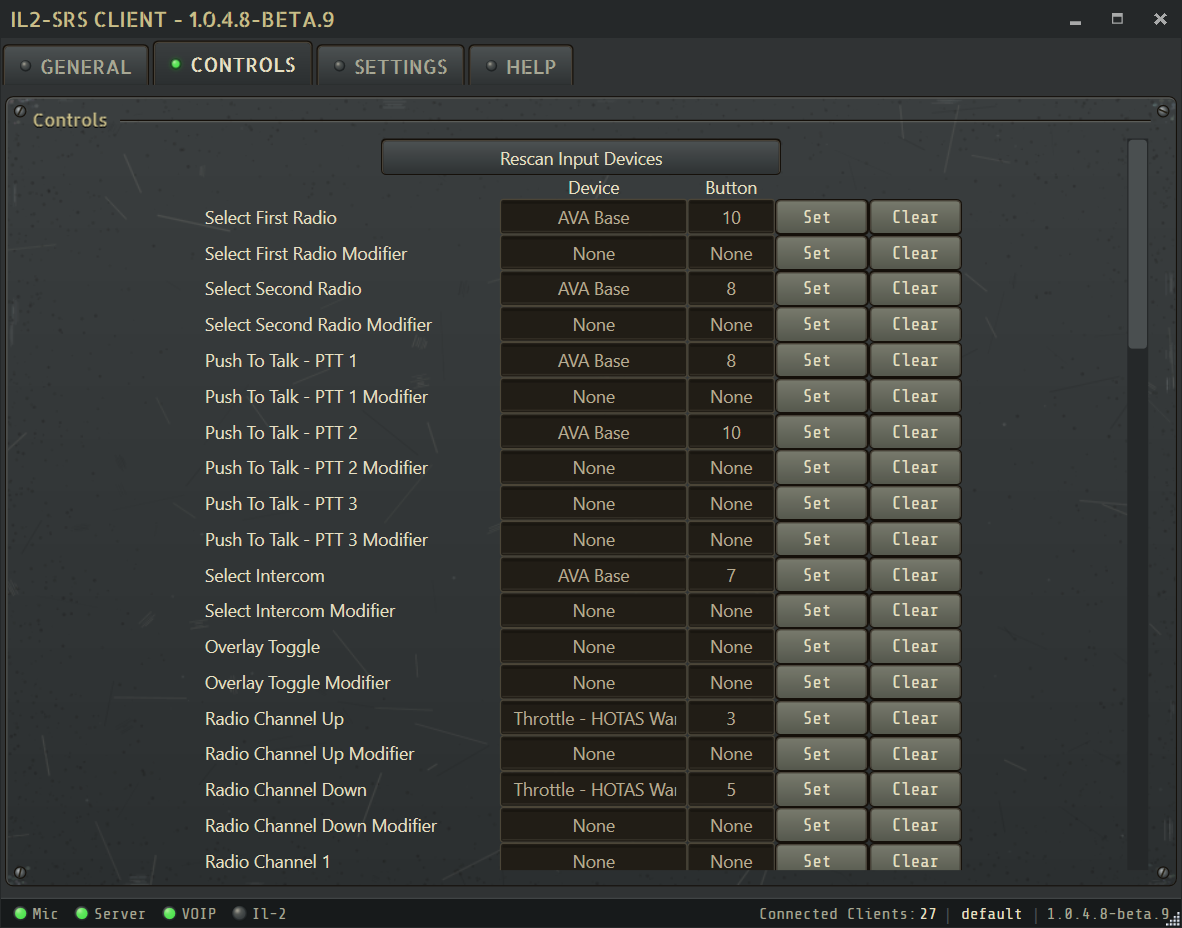
Push-To-Talk choices
Section titled “Push-To-Talk choices”Use Common PTT when one physical control should transmit on whichever radio is currently active. For a dedicated control per radio, bind Select First Radio and Select Second Radio, then enable Radio Switch works as Push To Talk (PTT) in Settings.
SRS provides three Common PTT slots. Any configured slot transmits on the selected radio, and each slot can use its own optional modifier.
See Using both radios for a practical explanation of the active radio, the overlay indicators, and recommended control setups.
Radio selection and channels
Section titled “Radio selection and channels”Available bindings include:
- select the next or previous radio
- channel up and channel down on the active radio
- Radio 1 channel up and down
- Radio 2 channel up and down
- mute the selected radio, the other radio, or all radios
- mute Radio 1 or Radio 2 directly, regardless of which radio is selected
The radio overlay also provides direct numbered channel buttons. Servers can limit the available channel range.
Overlay window bindings
Section titled “Overlay window bindings”Assign Toggle Pilot Roster and Toggle Client List in the Controls tab to show or hide those windows while flying. Their position and size are retained when you toggle them.
Restart SRS binding
Section titled “Restart SRS binding”The Restart SRS binding restarts the client when an audio device or input state becomes stuck. It is a recovery tool, not a substitute for investigating recurring audio or telemetry failures.
Device reconnects
Section titled “Device reconnects”SRS periodically rediscovers input devices so PTT can recover after a joystick or throttle disconnect. If a device remains missing:
- Reconnect the device.
- Wait for Windows to finish detecting it.
- Reopen the Controls tab and confirm the binding.
- Use the Restart SRS binding if the device still does not respond.
The Help tab explains the Allow more input devices option for hardware that is not included in the normal device scan.