Screenshots
Community Edition interface
Section titled “Community Edition interface”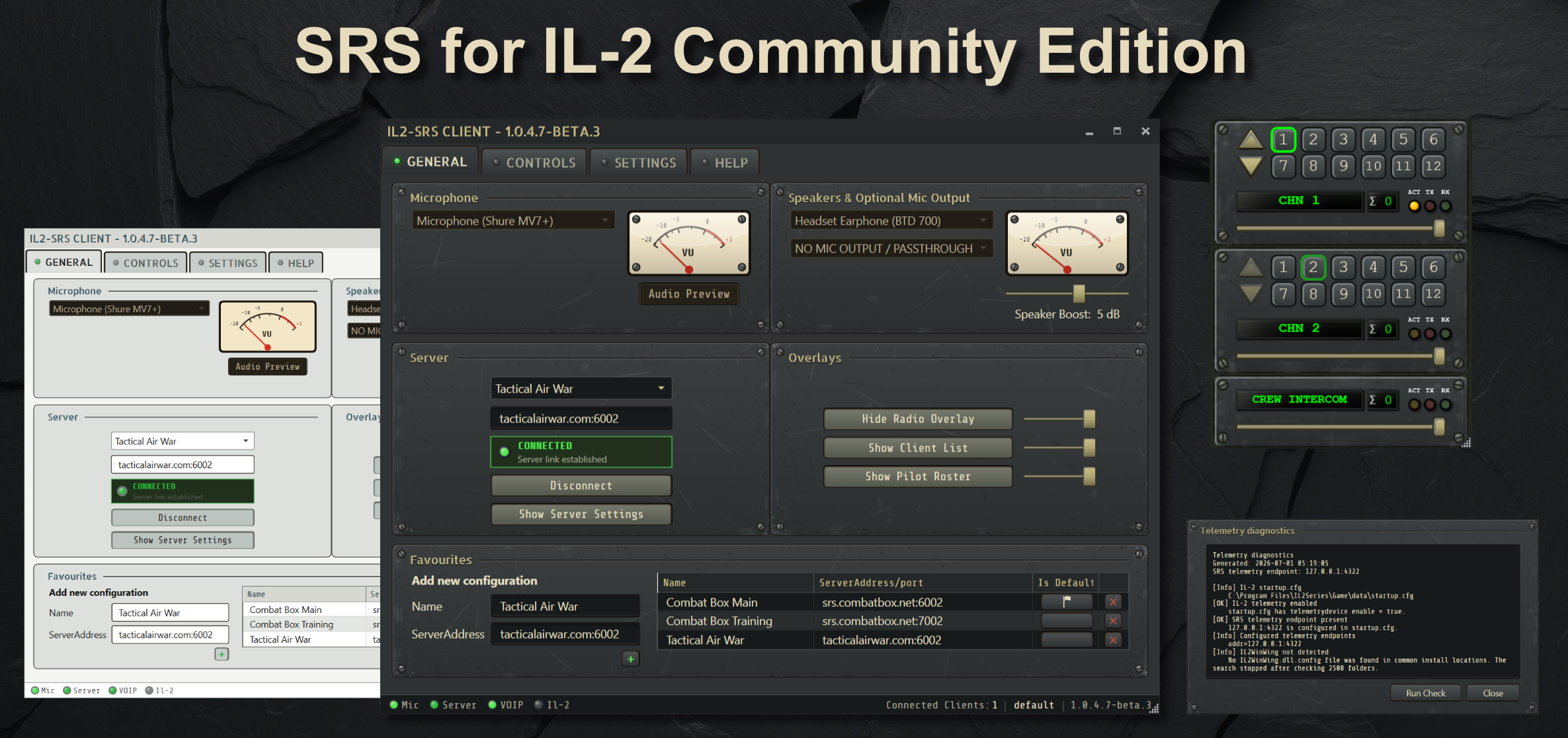
The Community Edition includes dark and light themes, a resizable radio overlay, telemetry diagnostics, server favourites, audio preview, and Pilot Roster support on participating servers.
Select the image to open it at full size.
Explore the interface
Section titled “Explore the interface”Screenshots are placed beside the instructions they explain:
- Quick start shows the General, Settings, and Help tabs.
- Controls and PTT shows device and binding configuration.
- Overlays covers the Radio Overlay, Client List, Pilot Roster, and channel limits.
- Telemetry and auto-connect shows diagnostics, results, and IL2WinWing repair.
- Server setup shows server themes, health information, advertised capabilities, and Client Administration.