Integrations
An integration runs an action when something happens on the web server, for example posting to Discord when a pilot joins or the server starts. Integrations are included in the Docker image and the Windows build.
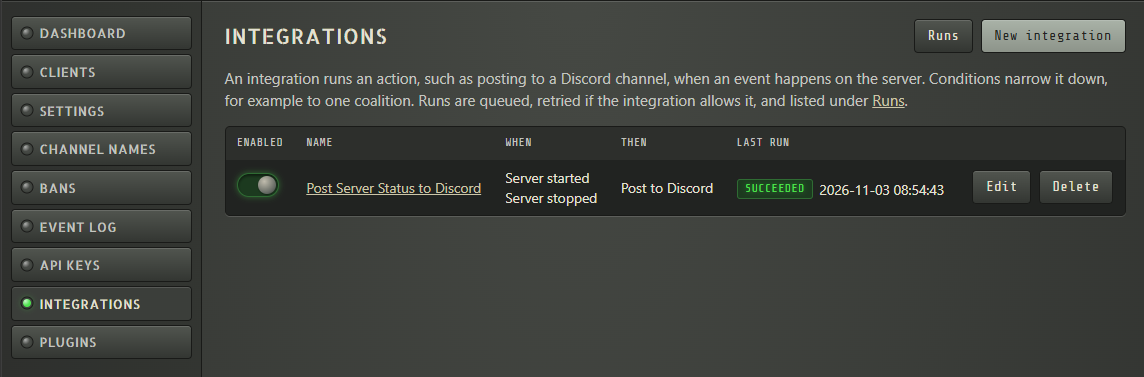
Each integration has:
- Trigger events that start it, for example Client connected or Server started.
- Optional conditions on the event data, for example only pilots on the Red side.
- An action: Post to Discord or Send an HTTP request.
Runs are queued and sent in the background, so a slow webhook never holds up the SRS server.
Before you start
Section titled “Before you start”- Set Server Name under Settings, so messages say which server they come from. Without it the host name is used, which in Docker is the container ID.
- To link to the admin UI from messages, set Public Admin URL under Settings.
- For Discord, create a webhook in the channel: Edit Channel → Integrations → Webhooks → New Webhook → Copy Webhook URL.
Create an integration
Section titled “Create an integration”- Open Integrations and select New integration.
- Enter a Name and add one or more Trigger events.
- Optionally add Conditions. All of them must match; text comparisons ignore case.
- Choose an Action and fill in its settings.
- Select Test to run it once with example data, then Create integration.
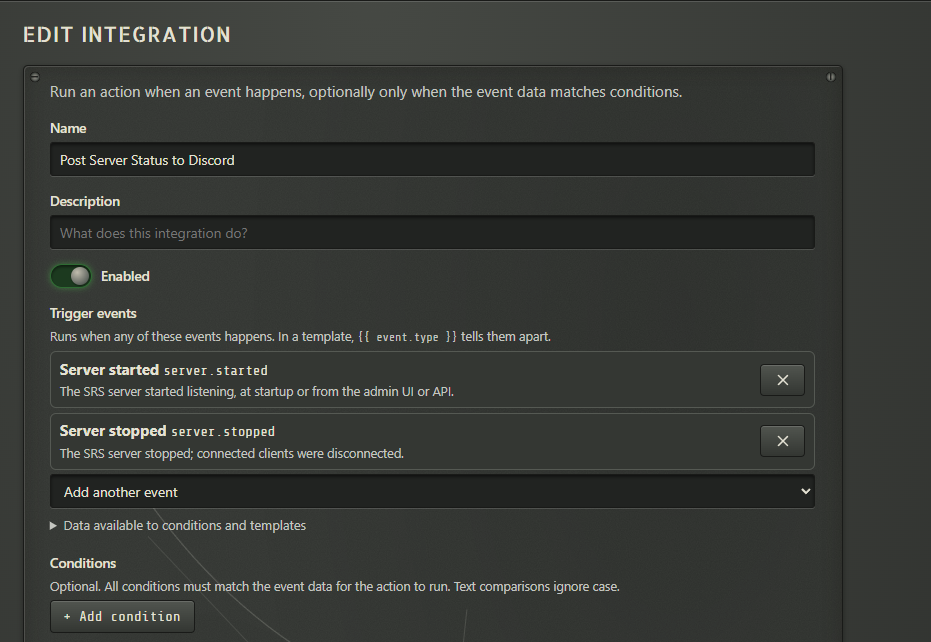
Data available to conditions and templates, under the trigger events, lists every field the chosen events provide.
Post to Discord
Section titled “Post to Discord”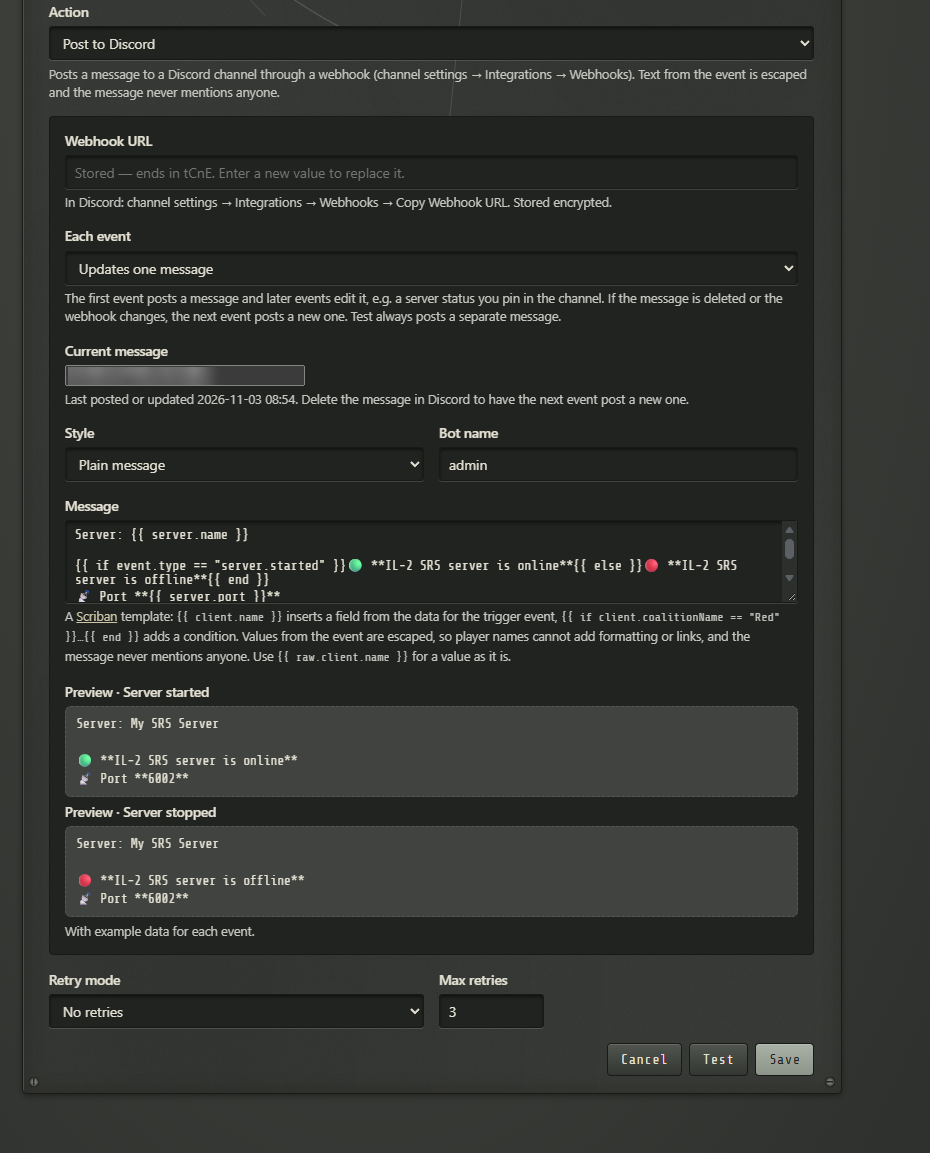
- Each event either Posts a new message, or Updates one message: the first event posts it and later events edit it, for example a server status pinned in the channel. If the message is deleted, the next event posts a new one. Test always posts a separate message.
- Style is a Plain message or a Card (embed) with a title and colour.
- Values from the event are escaped, so a player name can’t add formatting or links, and messages never mention anyone.
Send an HTTP request
Section titled “Send an HTTP request”Calls any web address with POST, PUT or PATCH, for example a Slack or Teams webhook or your own bot. Add headers if the address needs them. Leave Body empty to send the event data as JSON. Any 2xx response is a success.
Message templates
Section titled “Message templates”Messages and request bodies are Scriban templates, with a live preview under the field. {{ client.name }} inserts a field from the event, and {{ if … }}…{{ end }} adds a condition. With several trigger events, event.type tells them apart:
Server: {{ server.name }}
{{ if event.type == "server.started" }}🟢 **Online**{{ else }}🔴 **Offline**{{ end }}
Every event has server.name, server.version, server.adminUrl, event.type and event.message. Client events add fields such as client.name and client.coalitionName.
Retries and runs
Section titled “Retries and runs”Retry mode decides what happens when Discord or the web address can’t be reached: no retries, every 30 seconds, or backing off from 10 seconds up to 10 minutes, up to Max retries times. Runs are kept across restarts.
Runs on the Integrations page lists every run with its result. Run again sends a finished run once more.
Integrations can also be managed through the REST API under /api/v1/integrations.