Quick start
1. Select audio devices
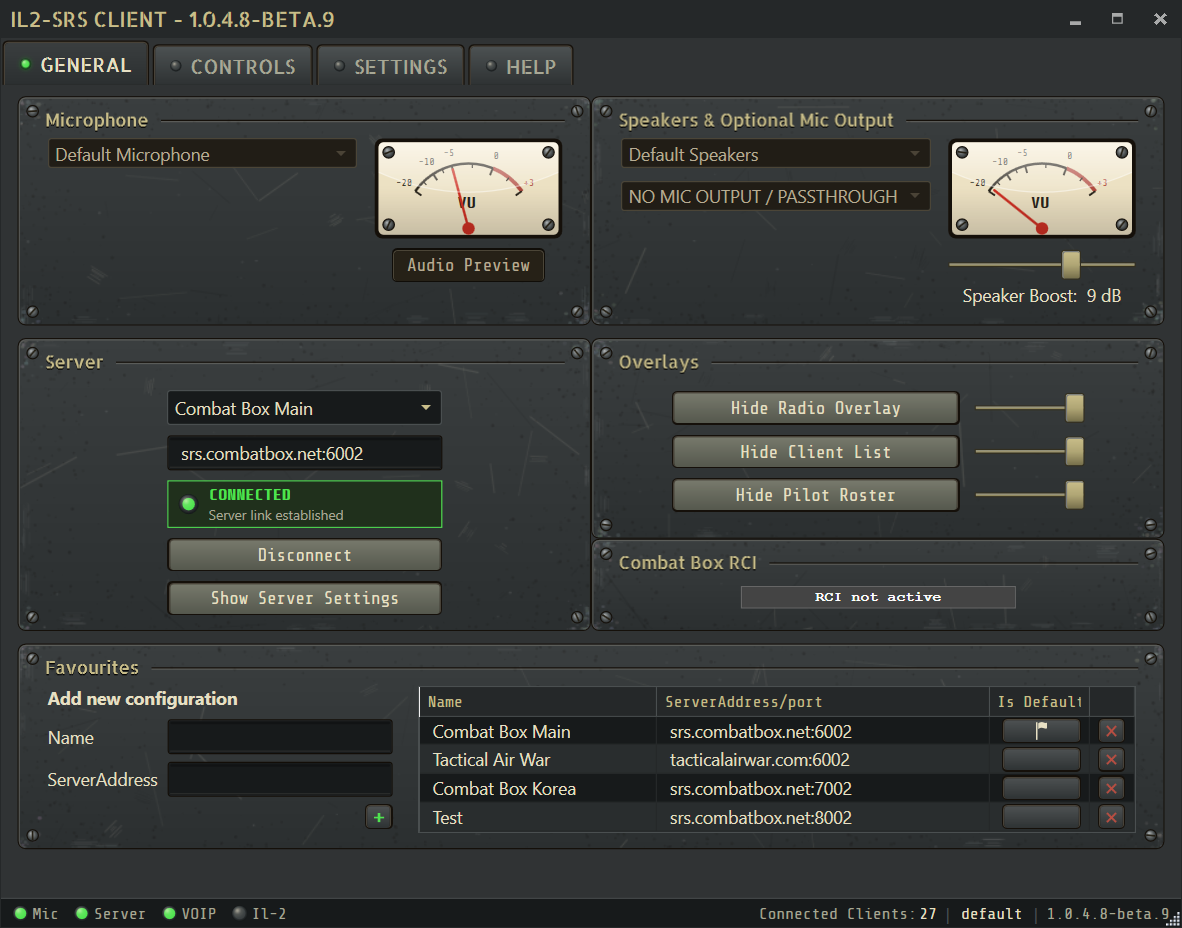
Section titled “1. Select audio devices”On the General tab:
- Choose the microphone you will use in IL-2.
- Choose your normal speaker or headset output.
- Leave optional microphone output set to No Mic Output / Passthrough unless you specifically need sidetone.
- Use Audio Preview to verify input level and output before joining a server.
2. Bind Push-To-Talk
Section titled “2. Bind Push-To-Talk”Open Controls and assign a Common PTT. Common PTT transmits on the selected radio. To use a dedicated control for each radio, bind Select First Radio and Select Second Radio, then enable Radio Switch works as Push To Talk (PTT) in Settings. SRS provides three independent Common PTT inputs, each with an optional modifier.
See Using both radios for the recommended dual-radio setups and Controls and PTT for the full control overview.
3. Start IL-2
Section titled “3. Start IL-2”SRS listens for telemetry on UDP port 4322. When IL-2 telemetry is active, the IL-2 status indicator at the bottom of the client turns green.
If the multiplayer server provides SRS connection information, the client connects automatically. You can also select a favourite or enter an SRS address manually.
4. Check connection status
Section titled “4. Check connection status”The client status indicators separate four states:
- Mic: microphone capture is available.
- Server: the TCP server link is established.
- VOIP: the UDP voice path is responding.
- IL-2: current game telemetry is being received.
A green Server and VOIP status with a gray IL-2 status means SRS reached the radio server but is not receiving game telemetry.
5. Review useful settings
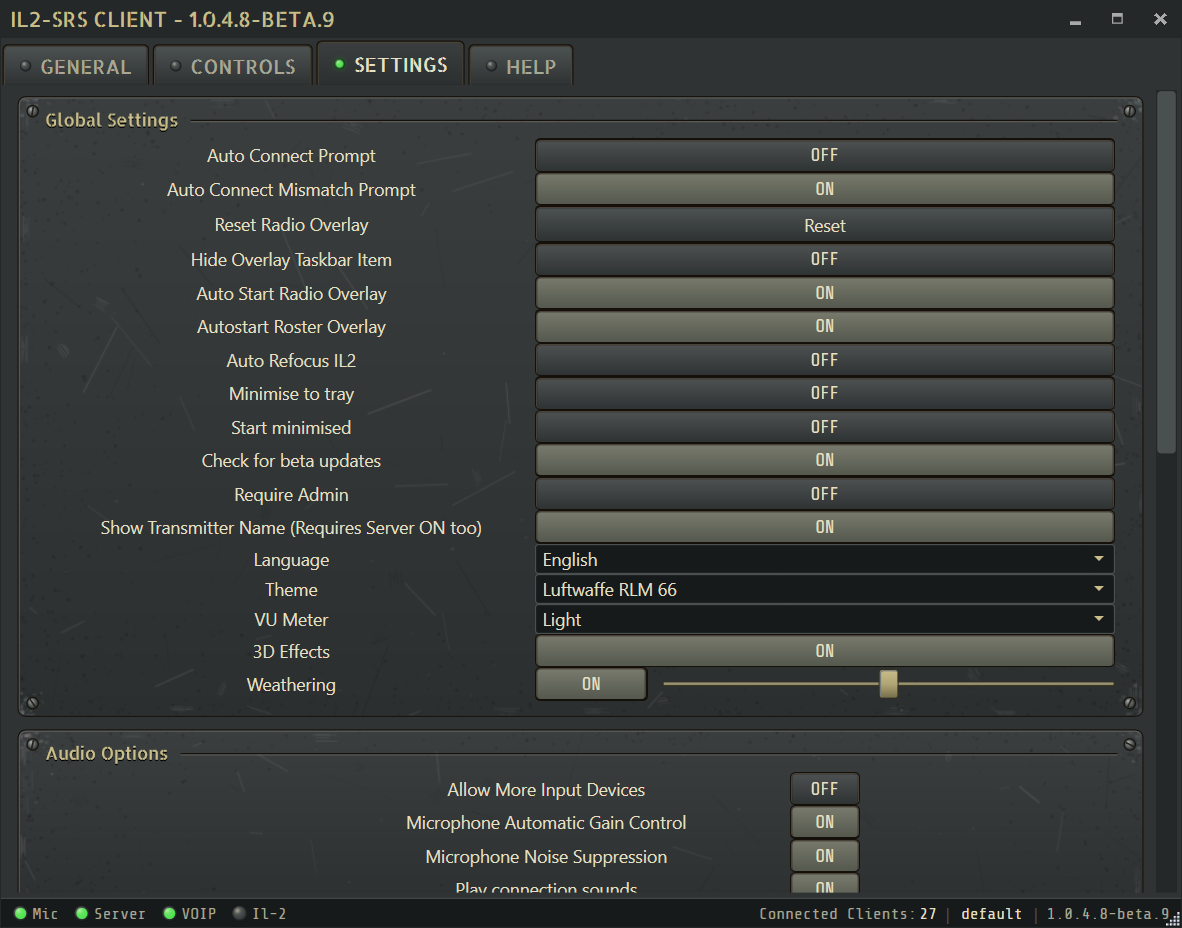
Section titled “5. Review useful settings”The Settings tab controls automatic connection prompts, overlay startup, audio processing, language, theme, 3D effects, and weathering. Defaults suit most users; review microphone processing and overlay startup if your setup needs different behavior.
6. Open overlays
Section titled “6. Open overlays”Use the General tab to show the Radio Overlay, Client List, or Pilot Roster. The Pilot Roster is available only when the connected server provides compatible roster data.
Need help?
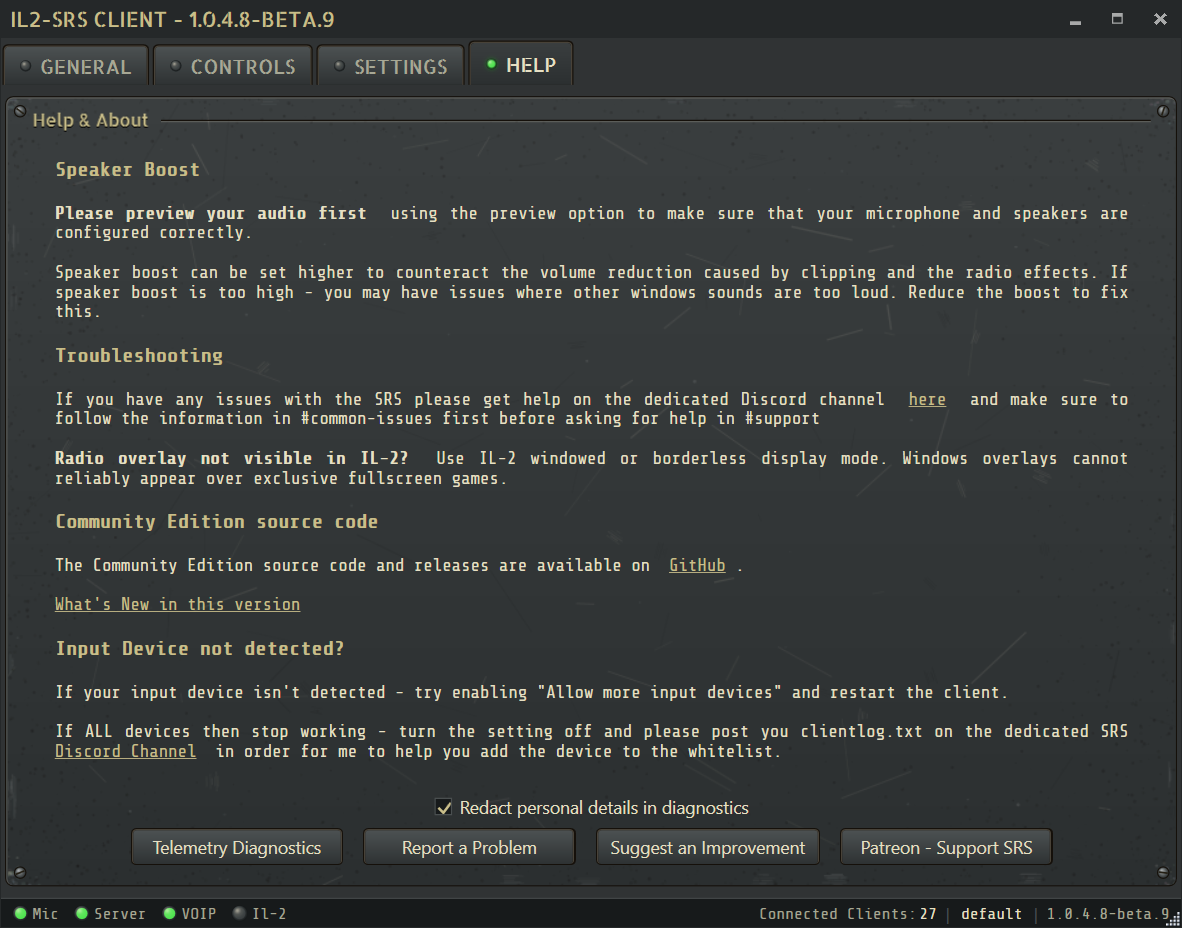
Section titled “Need help?”Run Help → Telemetry Diagnostics for game-link or auto-connect problems. Use the Help tab support buttons to report an issue or suggest an improvement, and include clientlog.txt when reporting connection or audio failures.